


Which website is currently associated with EzMP3?
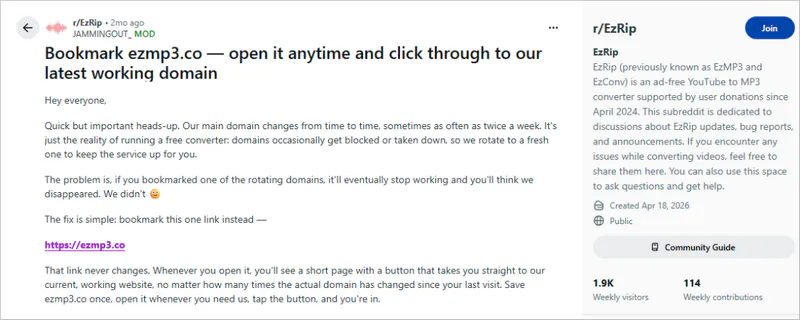
Its official Reddit account states that the current link is https://ezmp3.co, but clicking it redirects to https://ezconv.net/youtube-to-mp3.
Do you know the EzMP3 YouTube to MP3 converter? How does this supposedly free online converter operate? Is it really safe and legal to download YouTube videos? Convert YouTube videos to MP3 with one click for free - EzMP3 YouTube to MP3 converter's slogan always sounds so tempting. It seems like the perfect solution when you urgently need to download YouTube videos.
Today, this EzMP3 review will delve into its potential security risks and legal gray areas, offering 6 reliable alternatives to the EzMP3 YouTube to MP3 converter.
🔗Website: https://ezconv.net/youtube-to-mp3
EzMP3 (now associated with EzConv) is a free online converter. Its key feature is to directly download YouTube video URLs and convert them into MP3 audio files. It appears relatively safe for basic YouTube to MP3 conversion because it works directly in a browser and does not require software installation or account registration. However, you should be careful when choosing the correct website, as online converters may have unofficial copies, ads, or misleading download buttons. Downloading copyrighted content may also violate applicable laws or platform terms.
⚠️ Safety Concerns:
Step 1: Open the EzMP3 online website.
Step 2: First, go to the YouTube website and copy the link of a single video. Then, switch to the EzMP3 YouTube to MP3 converter and paste the URL.
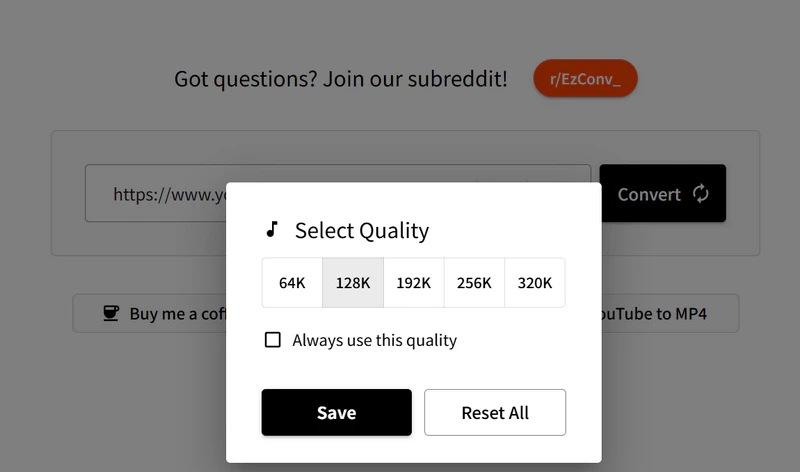
Step 3: If needed, you can trim the start and end time of the audio as well as select the audio bitrate from 64 kbps to 128kbps for free.
Step 4: Click "Convert" and choose "Download MP3". It will download the YouTube video URL as an MP3 file. You can get the YouTube to MP3 file in your browser's download history.
| Single YouTube video conversion | ✅ Passed |
| MP3 quality selection | ✅ Passed |
| Audio trimming | ✅ Passed |
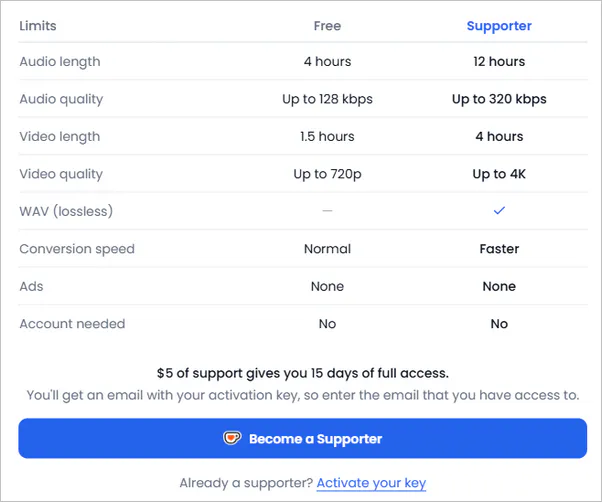
| 320kbps output | This test showed that $5 is required to unlock |
| Long videos to MP3 | ⚠️ Up to 4 hours |
| YouTube Shorts | ✅ Passed |
| Playlist conversion | ❌ Not supported |
| Batch downloads | ❌ Not supported |
| Mobile browser | ✅ Passed |
|
|
EzMP3 is primarily used for quick and simple YouTube to MP3 conversion. However, as online conversion sites can experience temporary outages, domain changes, or feature adjustments. Therefore, it is wise to have reliable alternatives ready in case the original tool becomes unavailable.
We tested 6 EzMP3 alternatives and compared them based on downloading capabilities, supported websites, customization options, and the actual user experience.
| EzMP3 | 🥇Any Video Converter | Vidicable | MP3ify | 9xbuddy | YTMP3 | YT Multi Downloader | |
| Fee | Free | Win: Free Convert Mac: Free Convert |
Free | Free | Free | Free | Free |
| Batch | No | ✅Yes | ✅Yes | No | No | No | No |
| Playlist | No | ✅Yes | ✅Yes | No | No | No | ✅Yes |
| Other URLs | No | ✅Yes | ✅Yes | ✅Yes | No | No | No |
| Multiple Tools | No | ✅Yes | No | No | No | No | No |
| Custom Mode | No | ✅Yes | ✅Yes | No | No | No | ✅Yes |
| Ads (This Test) | No ads | No ads | No ads | Contains ads | Contains ads | Contains ads | No ads |
🔴Trustpilot Review: ⭐⭐⭐⭐⭐ (4.9/5)
🔗Official Website: https://www.any-video-converter.com/
"I highly recommend Any Video Converter for both the excellent program and their first-class customer support." - Terry McKenna
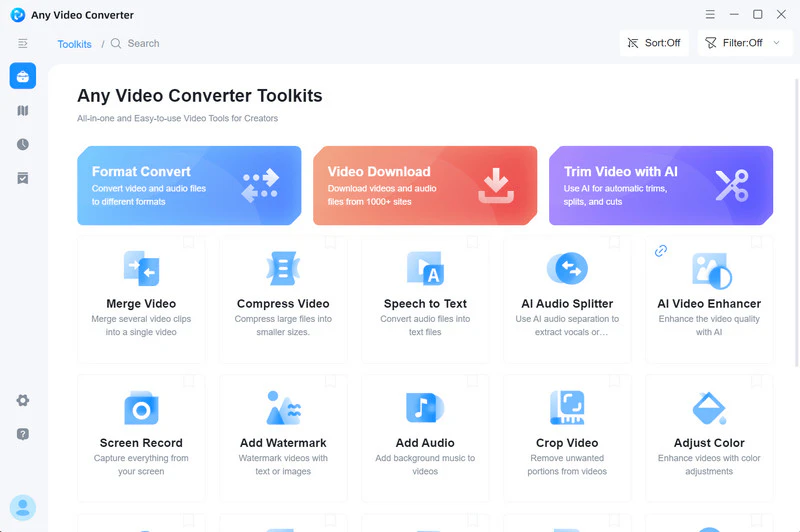
Any Video Converter not only downloads and converts YouTube videos to MP3 with high quality and efficiency but also supports downloading and converting Dailymotion, X, Instagram, and 1000+ other websites.
Compared to the EzMP3 YouTube to MP3 converter, Any Video Converter offers a more powerful, secure, and stable solution:
Downloading YouTube to MP3 is a clear and simple process; you'll not be interrupted by ads, and the download success rate is as high as 99%.
🔴Trustpilot Review: ⭐⭐⭐⭐ (3.9/5)
🔗Official Website: https://www.vidicable.com/
"I enjoy creating compilations, and Vidicable is perfect for downloading my favorite movies in high quality." - tongaye
Like Any Video Converter, Vidicable has a built-in YouTube browser, allowing you to open YouTube websites directly within the program and download YouTube videos as MP3s. The program also allows you to choose the original audio quality or customize the output quality, ensuring that the converted audio is clear, far exceeding the low bitrate files compressed by online YouTube to MP3 converters.
 Download YouTube to MP3 with VidiCable >>

While EZMP3 helps you download songs to MP3 quickly, you may also want a simple way to manage your playlists across different platforms. PlaylistGo allows you to transfer playlists between Spotify, Apple Music, YouTube Music, and more - all in just a few clicks. Now try to transfer your playlist to your preferred platform easily!
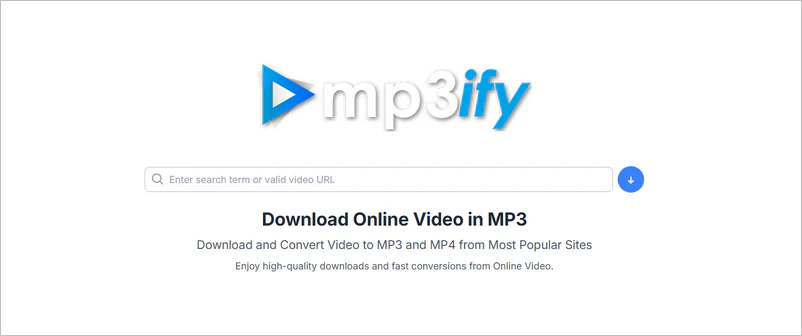
🔗Website Link: https://www.mp3ify.io/
MP3ify is a convenient tool focused on converting online videos (especially YouTube URLs) into MP3 audio files. No software installation is required; the conversion can be completed directly through a browser, supporting both computers and mobile devices.
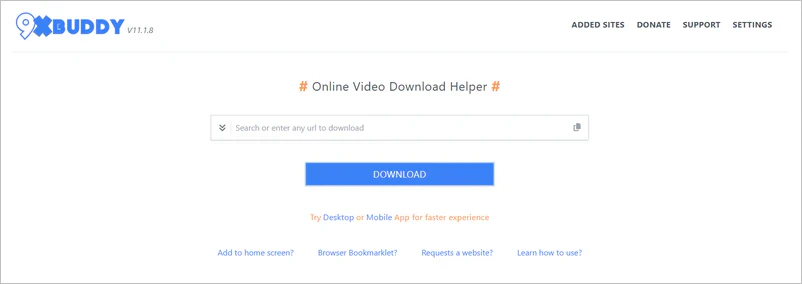
🔗Website Link: https://9xbuddy.site/
9xbuddy breaks through limitations to help you download audio directly from YouTube, Vimeo, TikTok, and SoundCloud. As long as you have a browser and internet access, whether on a Windows, macOS, or Linux computer or on a mobile phone or tablet, you can use 9xbuddy to download YouTube videos to MP3 without restrictions.
The Truth About 9xbuddy: All Your Questions Answered >>
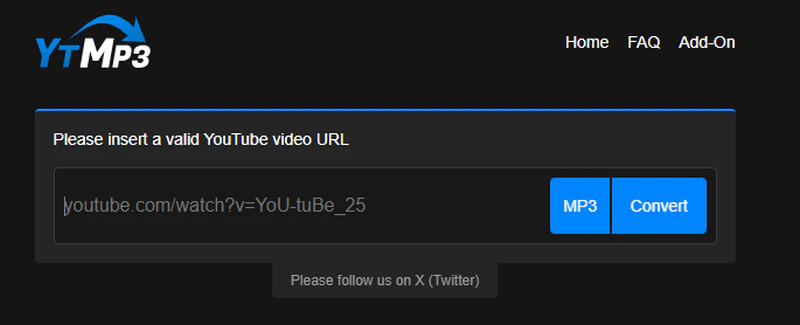
🔗Website Link: https://ytmp3.as/
YTMP3 stands out for its convenience as a temporary, fast, and free solution. It's ideal for occasional scenarios where you need to download one or two short YouTube videos for personal offline listening. For example, downloading background music from a speech, a tutorial, or your own uploaded video as an MP3.
5 Things You Must Know about YTMP3 >>
🔗Website Link: https://ytmultidownloader.com/
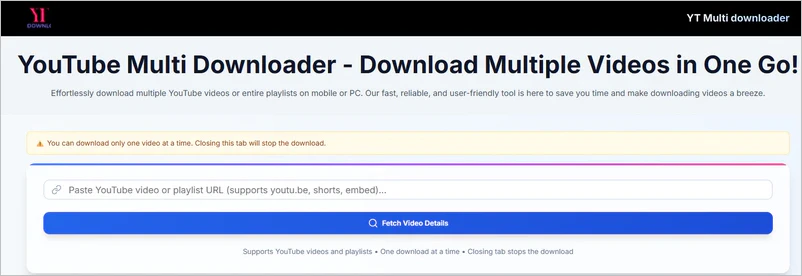
None of the online MP3 converters mentioned above can download YouTube playlists. However, we know you'll inevitably need to download YouTube playlists, and that's where YouTube Multi Downloader comes in. Simply paste the YouTube playlist link, and it will parse all the videos in the playlist. You can use this MP3 converter to save your favorite music playlists and course audio.
Download YouTube Playlist Free Online >>
Discover More YouTube to MP3 Converters >>
EZMP3 may be enough for converting one short public video. Consider Any Video Converter when you need to process multiple links, select items from a playlist, keep files organized, choose more output formats, or edit downloaded audio locally.
It offers a comprehensive, easy, and efficient solution to easily convert the rich video content on YouTube into portable MP3 audio files, making it ideal for music lovers, language learners, content creators, and anyone who wants to enjoy audio content offline.
You no longer need to use one software to download YouTube videos and another to convert them. This YouTube to MP3 converter combines the download and conversion steps into one, greatly simplifying the process and saving time and effort. For videos in playlist and channel, it can also automatically download updated content as MP3.

Step 1: Launch Any Video Converter and navigate to "Video Download".
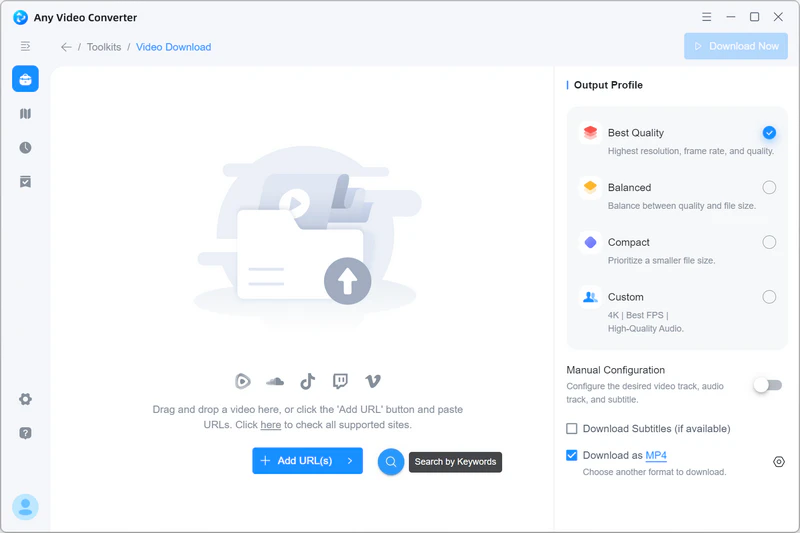
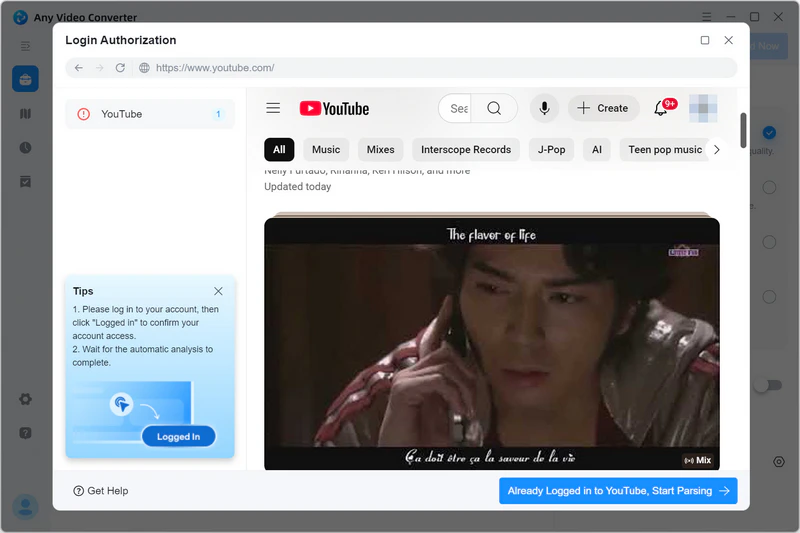
Step 2: Click the " " to access the built-in YouTube browser and log in to your YouTube account.
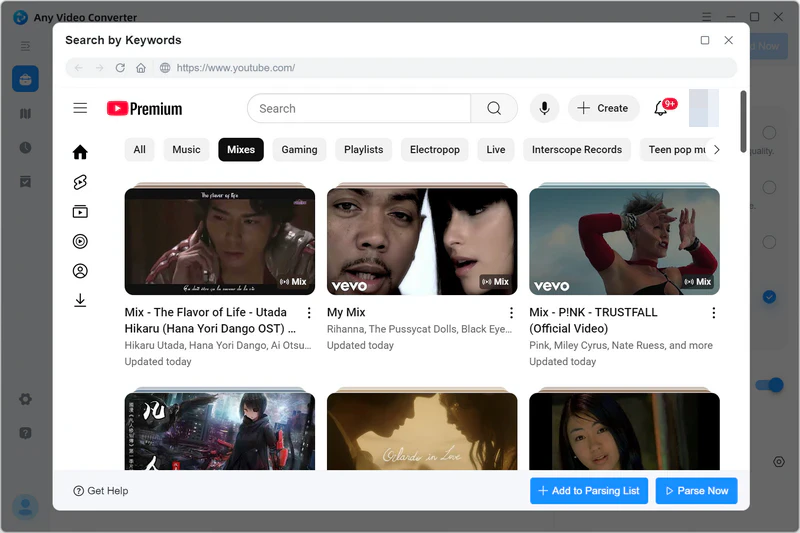
Step 3: Search for the YouTube video you want to download as an MP3 and then click "Parse Now". If you want to download multiple YouTube videos as MP3s in batches, select "Add to Parsing List".
Step 4: In "Custom", select "Download as MP3". Any Video Converter also supports downloading to FLAC and WAV formats. If you have a YouTube Premium account, you can download to FLAC and WAV, preserving audio details to the greatest extent possible.
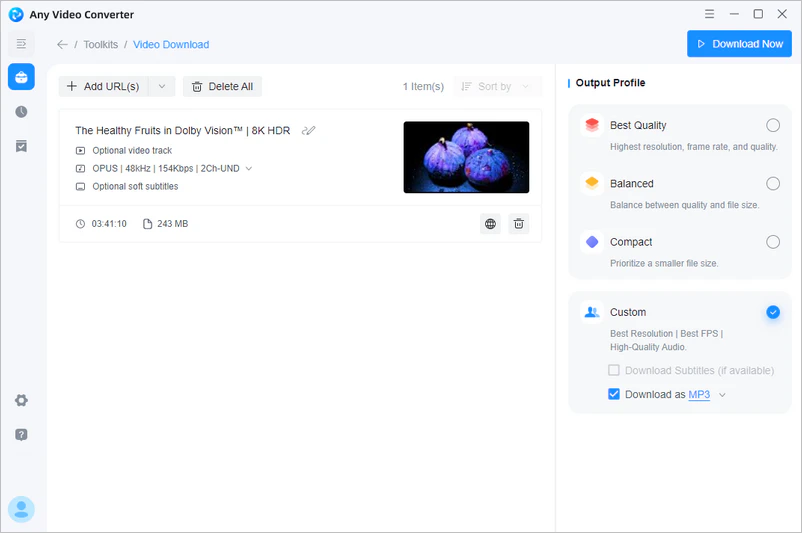
Step 5: Click "Download Now" to download the YouTube video as MP3.

Its official Reddit account states that the current link is https://ezmp3.co, but clicking it redirects to https://ezconv.net/youtube-to-mp3.
Here are some reasons:
1. Original YouTube audio quality: YouTube compresses audio for smooth playback. Even if the video is HD quality, its audio stream is often in medium bitrate AAC or Opus format. This means you are compressing an already compressed audio file again, which inevitably leads to a loss of sound quality.
2. Audio bitrate: MP3 sound quality is largely determined by the "bitrate". The higher the bitrate, the more details are preserved and the larger the file size; conversely, details are lost and the sound quality is poor.
1. Online server overload: EzMP3 is an online conversion service that needs to process video conversion requests on its servers. When the service receives too many requests at the same time, the conversion process may become slower or remain stuck in a loading state.
2. Technical malfunction or maintenance: Temporary server errors, service updates, or domain changes may affect EzMP3's availability. If the conversion page cannot load properly, try again later or check whether you are using the latest active website.
3. Network or browser issues: An unstable local network can also cause YouTube conversion to fail. Accumulated cached data in your browser, or an ad-blocking plugin, may interfere with the MP3 conversion process.
YouTube to MP3 files are typically downloaded to your browser's "Downloads" settings. There's usually a download icon in the upper right corner of the browser; clicking it will show your download history.
EzMP3 allows you to select higher bitrate options, including 320kbps. However, the actual audio quality still depends on the original YouTube source. Increasing the bitrate does not improve audio quality if the source audio is already compressed.
Like many online converters, EzMP3 has used different domains over time. Users should verify the website address carefully because unofficial copies may use similar names or imitate the original interface.
Choosing a safe, professional, and reliable YouTube to MP3 converter ensures you can enjoy audio content without worry.
While EzMP3 is easy to use and has fewer ads, its poor stability, limited conversion options, and privacy and security risks make it unsuitable for long-term or frequent use. Any Video Converter, with its security, reliability, and comprehensive features, is a more recommended choice. Whether you're a music lover, content creator, or personal purpose, Any Video Converter offers an efficient, stable, and uninterrupted local conversion experience, making it the best alternative to EzMP3 YouTube to MP3 converter.

Besty Smith is a talented and insightful content creator with a keen interest and passion for software programs. She focuses on in-depth research and hands-on experience with various types of software, providing readers with in-depth and inspiring content through precise writing. With her keen insight into the software industry, Besty is committed to helping readers keep abreast of the latest industry trends so that they can stay competitive in the digital age.