


Is Cobalt being phased out?
No. Cobalt.tools is currently still being maintained, but its stability is significantly affected by external platforms.
Over the past two months, Cobalt.tools has shown increasing instability, including frequent parsing failures and download errors. Many users have reported similar issues on Reddit when using the tool. To resolve these frustrating download failures, this article compiles 2026 top 8 stable Cobalt.tools alternatives - based on actual testing - to help you successfully download 4K MP4 or MP3 files and find a truly reliable solution for your specific needs.
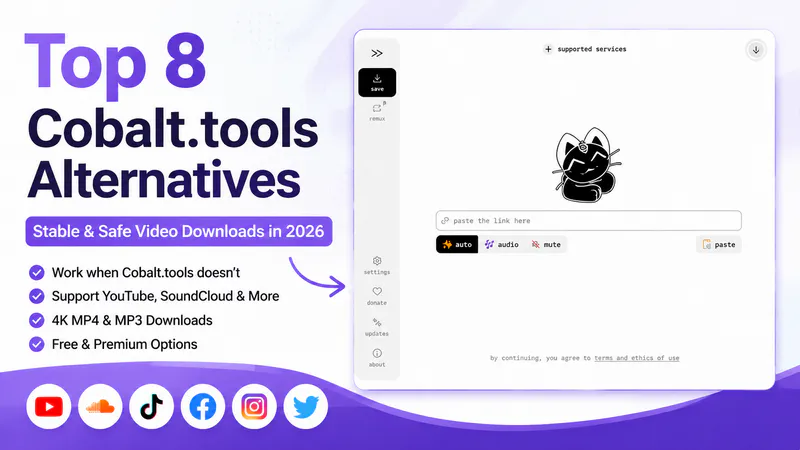
Before diving into the details, here is a quick overview to help you find a suitable Cobalt.tools alternative based on your specific needs. You can refer to the comparison table below:
| Need | Best Alternative | Why It's Recommended |
| ✅ Best Overall Alternative | Any Video Converter | Stable performance, supports 4K MP4/MP3 and batch downloads |
| ✅ Best Free Online Tool | Loader.to | No installation required, simple web-based downloader |
| ✅ Best for 4K Quality | 4K Video Downloader+ | Excellent support for high-resolution video and playlists |
| ✅ Best for Advanced Users | yt-dlp | Open-source, highly customizable, supports almost all websites |
| ✅ Best for Batch Downloads | JDownloader | Powerful batch processing and automatic link capture |
| ✅ Best for Online Playlist to MP3 Extraction | VidPickr | Lightweight online YouTube playlist extraction tool |
| ✅ Best for Streaming Services | Vidicable | Record and save videos |
| ✅ Best Simple Web Tool | Downr | Quick paste-and-download workflow for basic use cases |
While browsing the Cobalt.tools community on Reddit, most of the feedback wasn't about the website being inaccessible, but rather these more troublesome download failure issues, which occur almost every month. The information in the table below comes from common issue reports in the Reddit Cobalt.tools community.
| Platform | Common Issue | User Experience | Last Tested: September 2026 |
| YouTube | Download failure / parsing error | Video link cannot be processed | Still not supported |
| SoundCloud | Download failed / only in 128 kbps | In April 2026, a user reported SoundCloud doesn't download in Opus (lossy high-resolution audio) anymore | MP3, OGG, and Opus downloads worked in our latest test, but audio quality remained limited |
| Mixed websites | Instance instability | The same link works today but fails later | Unstable |
This is one of the most common issues reported by users. In February 2026, a user reported in the community that the main instance was no longer able to download YouTube videos properly and asked if there was a timeline for a fix. In June 2026, when I re-pasted the YouTube link on https://cobalt.tools/, I received the message: "YouTube downloading is disabled on the main instance due to restrictions from YouTube's side and infinite maintenance cost at scale". After re-testing in September, https://cobalt.tools/ still does not support YouTube content.
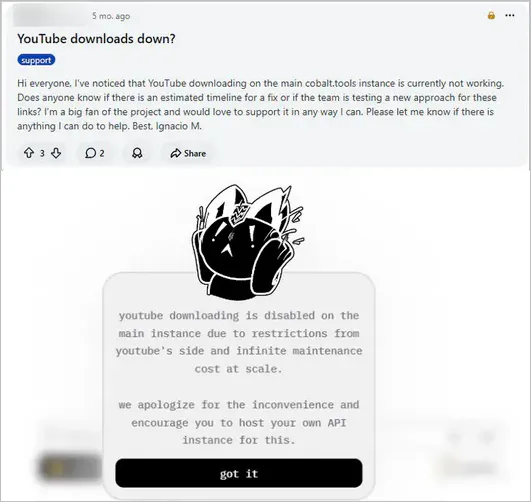
✒️ Conclusion: Cobalt.tools (official instance) is still not working for YouTube downloads.
Since https://cobalt.tools/ cannot download from YouTube, Any Video Converter is a desktop alternative that can download individual videos, playlists, and channel content. It also supports batch downloads and lets you save 4K, 8K, HDR YouTube videos or extract audio in MP3, WAV, and FLAC.
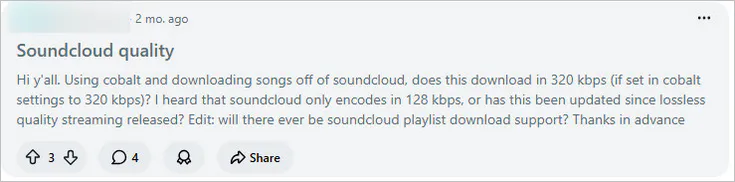
In April 2026, users in the community discussed the increasing frequency of failures when downloading SoundCloud audio. Additionally, it now only allows downloading in MP3 128 kbps, not AAC 256 kbps. In September 2026, I successfully downloaded SoundCloud as MP3, OGG, and Opus using the cobalt.tools website; the issue might have been fixed. The earlier failures may have been temporary or related to particular tracks, regions, or changes on SoundCloud.
Regarding sound quality, I downloaded the same song in MP3, OGG, and Opus formats and imported the files into Spek to analyze their spectrograms; I found that they were all 15 kHz - 16 kHz, rather than true lossless 20 kHz.
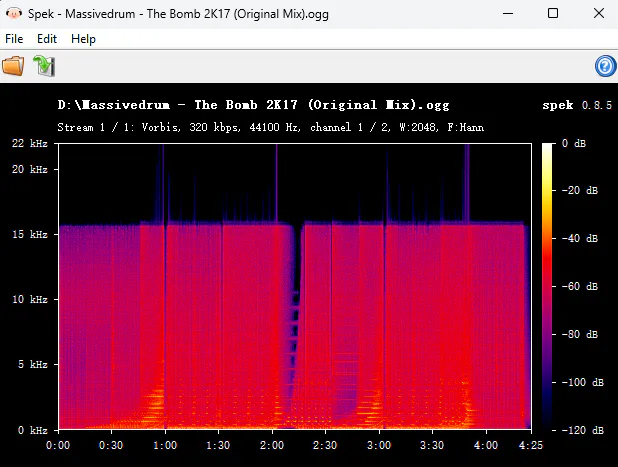
✒️ Conclusion: It can download DRM-free SoundCloud songs, but it does not provide lossless audio quality.
Recent feedback from the Cobalt Reddit community indicates that download issues are not limited to YouTube. A user reported frequently encountering "couldn’t find any media" errors when downloading Instagram reels. In September, another user in the same discussion added that download tasks for OK.ru were failing to start, showing "the ok module returned an error that I don't recognize".
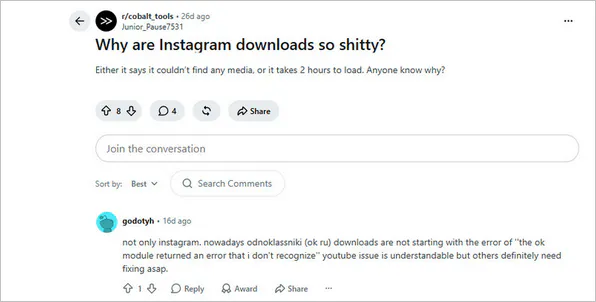
✒️ Conclusion: The download process is unstable; a download might succeed one month but fail the next.
Today (as of September 2026), Cobalt.tools has not completely stopped working. However, it is certain that the download is unstable. This is also why more and more users are starting to look for more stable alternatives to cobalt.tools.
Did you know that Cobalt has both official instances (cobalt.tools) and community instances (cobalt.meowing.de and more)? These various websites are all based on the same Cobalt download system, used to parse and download online video or audio content. You can visit cobalt.directory to check the latest instances.
| Feature | Cobalt.tools (https://cobalt.tools/) |
Cobalt.meowing.de (https://cobalt.meowing.de/) |
| Type | Official instance | Community instance |
| Maintained By | Cobalt team (official website) | Independent community maintainer (not official website) |
| YouTube Download | ❌ YouTube download failed | ✅ YouTube download successful |
| Recommended For | Non-YouTube downloads | Backup access option |
Cobalt.tools is the official website, whereas cobalt.meowing.de is not. Another major difference is that cobalt.tools does not support YouTube downloads, while cobalt.meowing.de successfully downloads content from YouTube (verified through testing). You need to note that the maximum YouTube video duration is 120 minutes.
Although cobalt.meowing.de is not an official site, it is widely considered a safe option for Cobalt.tools fans. While browsing the Reddit community for cobalt.tools, I noticed that many users also turn to this site as a workaround when they encounter temporary download failures. In my own experience using it, I haven't encountered any ads or malicious pop-ups. However, I still recommend avoiding entering account credentials or sensitive information, and checking the current Cobalt instance list before using any community instance.
| Tools | Type | Batch Download | 4K YouTube Support | Free Limit |
| Any Video Converter | Desktop | ✔️ Batch URLs + playlist download | ✔️ stable 4K/8K/HDR download | Free download in the best video quality |
| 4K Video Downloader+ | Desktop | ✔️ Full playlists download | ✔️ Up to 8K | Only 10 videos can be downloaded for free per day |
| Vidicable | Desktop | ✔️ Full playlists download | ✔️ Up to 8K | Free YouTube download |
| yt-dlp | CLI | ✔️ Full playlist/batch support | ✔️ Best available source quality | Free, open-source |
| JDownloader 2 | Desktop | ✔️ Supported | ✔️ Depends on available stream | Free, no download limit |
| Downr | Web | ❌ Not supported | ❌ No 4K download | Free YouTube downloads but low quality |
| Loader.to | Web | ❌ | ✔️ Up to 4K download | Free online downloads but slow process speed |
| VidPickr | Web | ✔️ | ✔️ Up to 8K | Free individual video download; up to 25 videos per batch |
Unlike cobalt.tools, which relies on web parsing, Any Video Converter operates locally and utilizes a dedicated download engine. This ensures a more stable and reliable downloading process when handling YouTube 4K/8K/HDR videos and converting formats to MP4, MKV, M4A, MP3, WAV, and more. The downloaded files you get are high-quality with minimal compression loss; whether you're extracting YouTube Music or SoundCloud audio, you'll get high-quality audio close to 20 kHz.
Any Video Converter offers an end-to-end workflow: video downloading (including batch downloads + auto downloads), audio extraction, format conversion, and audio/video editing (with AI support).
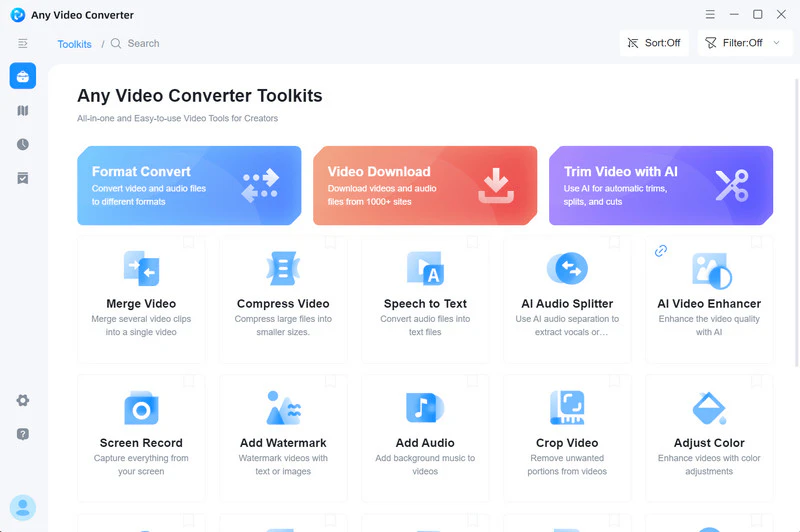
Step 1 Open Any Video Converter and click "Video Download" on the main interface. Enter the built-in YouTube browser.
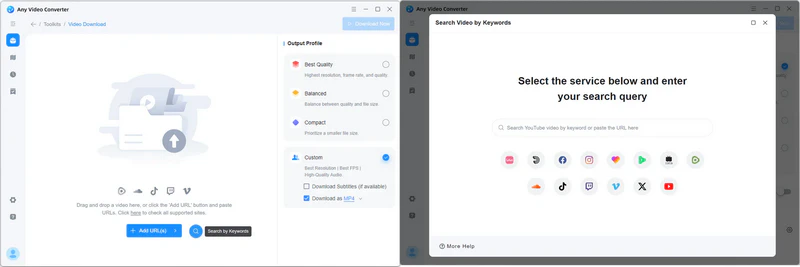
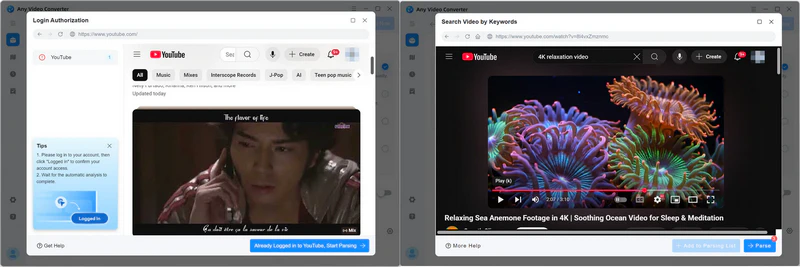
Step 2 Log into your YouTube account, navigate to the video you want to download, and click "Parse Now" to start parsing the video.
Step 3 Select the high-quality resolution (up to 8K/HDR quality) or bitrate (up to 320 kbps) you wish to download from the video or audio tracks. Alternatively, choose MP4, MP3, or other formats from the Output Profile.
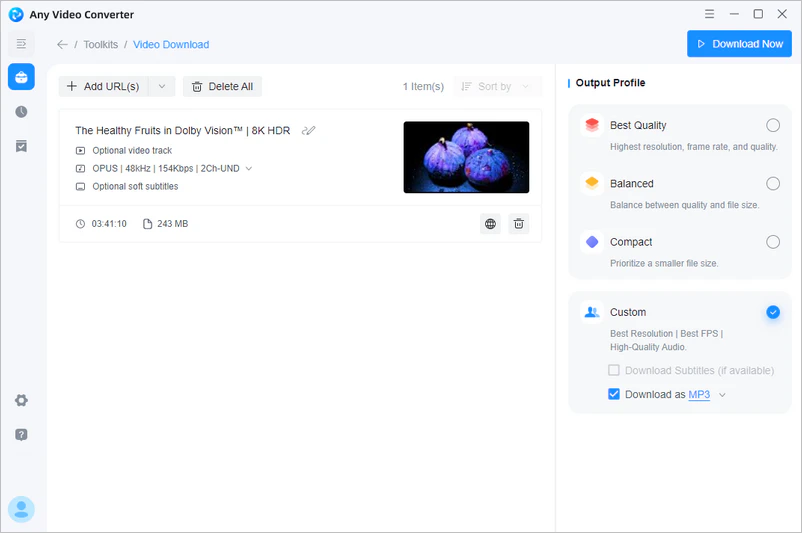
Step 4 Click "Download Now" and confirm the file output path to start downloading the video.

|
|
Any Video Converter offers more extensive free downloading features. It imposes no limits on the number of downloads or the download quality, and you can even use it to download entire playlists for free.
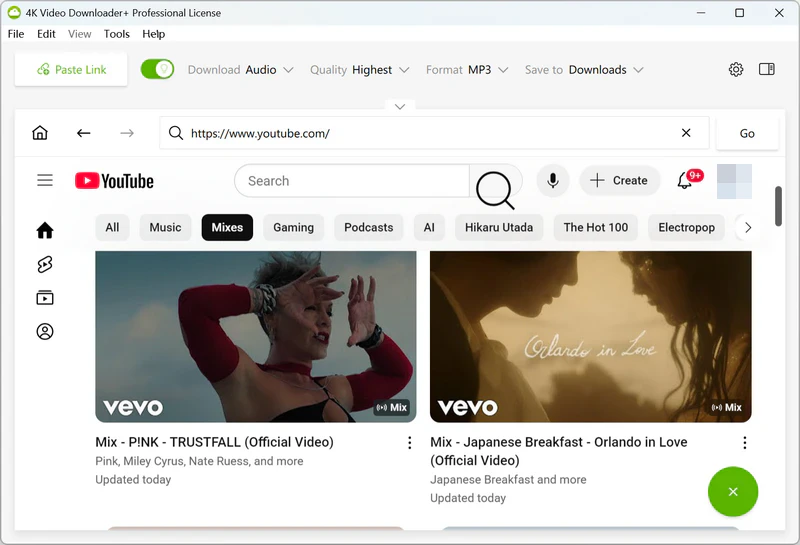
True to its name, 4K Video Downloader+ enables the downloading of 4K, 8K, and VR videos, as well as audio and playlists. The "Subscriptions" feature particularly caught my eye; enabling it allows for the automatic downloading of new videos from subscribed YouTube channels. However, this is a premium feature, and free accounts are limited to downloading 10 videos per day.
|
|
4K Video Downloader+ is better suited for users who prioritize high quality and YouTube playlist downloads. The YouTube download process on the desktop version is quite comprehensive. But unfortunately, the free version has a limited number of downloads.
Vidicable is particularly well-suited for saving and recording streaming content from platforms like Netflix, Disney+, and Amazon Prime Video. I also tested it with sites such as YouTube, Facebook, and Instagram, and it successfully downloaded content from them as well. Furthermore, for DRM-protected content, you can use the built-in screen recording tool to capture and save the video, ensuring good visual quality.

|
|
VidiCable's built-in browser and audio/subtitle support are quite useful. However, it offers very few video and audio formats. It is better suited for those who want to download content in its original format.
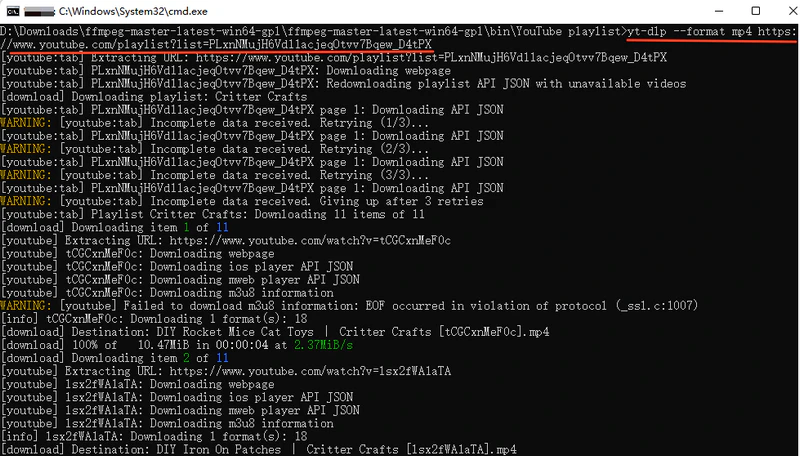
For technical users, yt-dlp is the cobalt.tools alternative that offers the greatest control over the downloading process. Rather than a simple download website, it is an open-source, command-line-based tool to control various aspects of the download, such as video format, audio extraction, video resolution, and the downloading of subtitles and metadata.
|
|
yt-dlp is suitable only for advanced users familiar with the command line and precise format control. It is not intended for users who simply want to "paste a link and download immediately".
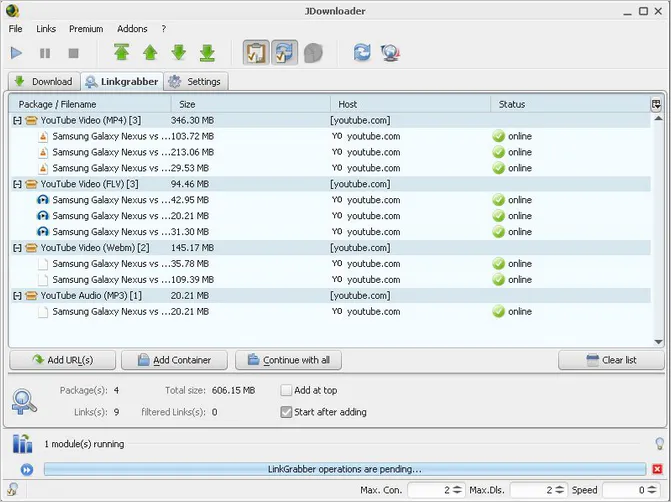
JDownloader 2 serves as a Cobalt.tools alternative for batch downloading and automated content grabbing. It automatically detects all downloadable files (images, videos, and audio) on a webpage, enabling the batch import of multiple links and simultaneous downloads. This makes it a highly convenient solution for users who need to collect large amounts of media.
|
|
If you need to handle large-scale download tasks, you can use JDownloader 2. However, its interface and settings are relatively complex. Furthermore, it relies on specific plugins for different websites, so you may have to wait for plugin updates if a site changes.
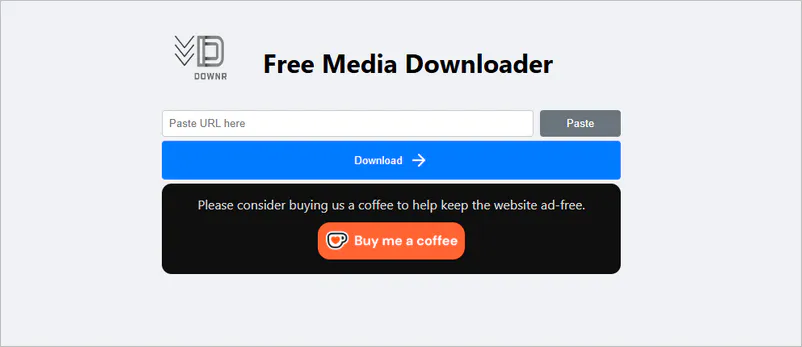
Downr is a browser-based online media downloader designed for a quick "paste-and-download" experience. You can download video or audio files from platforms like YouTube, TikTok, Instagram, Facebook, and Twitter without needing to register or install any software. Like cobalt.tools, it works on both desktop and mobile devices.
|
|
Although the web-based tool is easy to use, YouTube videos downloaded via Downr are only in 360p—the image quality is too low.
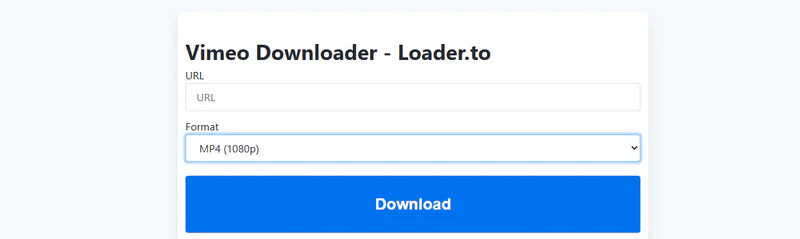
Loader.to allows you to download YouTube videos online in up to MP4 1440P and WebM 4K. Based on my personal experience, it is ideal for creating a high-quality offline library (such as educational videos or dance tutorials) because the output video quality is crisp and clear.
|
|
Loader.to advertises that it can download playlists, but it actually cannot. However, it can indeed download 4K YouTube videos and can also be used as a lightweight online solution.
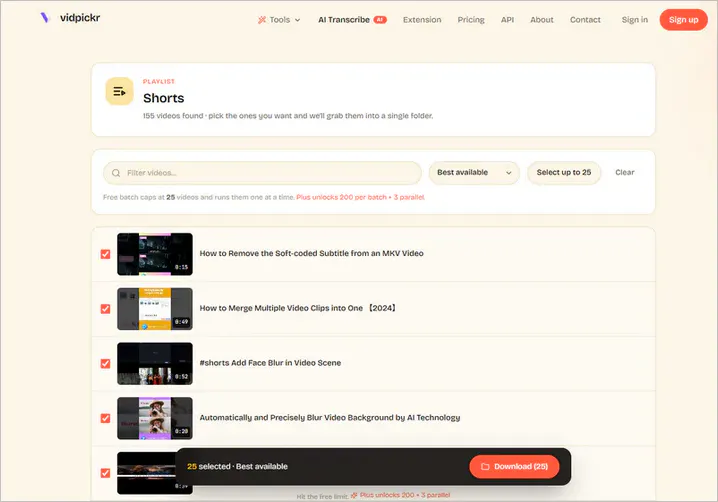
Very few online downloaders support batch downloading, but VidPickr does. It supports downloading YouTube playlists and channels in the highest quality and saving files in MP4/M4A/MP3 format. And there's even more; it also features a YouTube thumbnail downloader, a subtitle downloader, and a SoundCloud downloader.
|
|
If you want to download YouTube playlists online, VidPickr allows you to batch download up to 25 videos for free. For larger playlists and parallel downloads, you will need a desktop tool.
To avoid a situation where cobalt.tools suddenly fails to download, it is well worth bookmarking these working downloaders. Someday in the future, they may be used as reliable backup options.
In more detail, the eight cobalt.tools alternatives tested in this article mainly address the following issues, and that's why you need them.
An excellent alternative to cobalt.tools typically needs to feature:
| Evaluation Criteria | Why It Matters |
| Download Reliability | Reduce download failures and parsing errors |
| Video Quality Options | Compatible with 2K, 4K, 8K, MP4, MP3, and more |
| Platform Support | Cover more websites and media sources |
| Safety & Trust | Reduce security and privacy risks |
| Batch Processing | Improve download efficiency |
| Workflow Features | One-stop completion of raw material to final output |
In testing, Any Video Converter truly delivers on this front. It offers a video trimmer, video merger, audio splitter, subtitle transcription, and DVD burner that allow you to trim clips, extract background music, and add subtitles, making videos accessible even to the hearing impaired. Whereas the others are merely single-purpose download or conversion tools that lack editing features.
No. Cobalt.tools is currently still being maintained, but its stability is significantly affected by external platforms.
There is no single "best" alternative; you can use the appropriate tool based on your specific needs.
Although this domain is an unofficial link, some Reddit users reported positive experiences with it. You can try it, but I do not recommend using it as a long-term downloader.
No. Cobalt.tools (https://cobalt.tools/) currently cannot download any content from YouTube.
The Cobalt team responded that the YouTube download feature has been disabled due to restrictions imposed by YouTube and the maintenance costs associated with large-scale operations.
Any Video Converter supports downloading SoundCloud tracks and can save audio in formats such as WAV or FLAC.
Given the frequent download failures, unstable parsing, and lack of YouTube support, I recommend keeping these 8 cobalt.tools alternatives handy.
What you really need is a reliable, long-term solution that supports high-quality downloads and covers the entire workflow. All things considered, Any Video Converter remains the top recommendation in this article as an alternative to cobalt.tools. It not only enables you to download 4K/8K MP4, MKV, or high-quality MP3 files but also handles subsequent tasks like format conversion, audio extraction, subtitle processing, and AI video enhancement, eliminating the need to switch between multiple tools.
If you have found your way here due to the instability of cobalt.tools, I hope this article helps you discover the desired alternative for your needs.

Besty Smith is a talented and insightful content creator with a keen interest and passion for software programs. She focuses on in-depth research and hands-on experience with various types of software, providing readers with in-depth and inspiring content through precise writing. With her keen insight into the software industry, Besty is committed to helping readers keep abreast of the latest industry trends so that they can stay competitive in the digital age.